Community (fb)

 es
es  ua
ua 






Files
3D model format
Stereolithography (.stl)
Total files

Slicer settings
not available
Mesh error check
not specified
Support
Provided by 3D Artist (optional)
Update requests
Subject to 3D Artist’s discretion
Model versions
FFF/FDM
Assembly method
not specified
Features
DLP/SLA
Assembly method
not specified
Features
Additional details
Part of diorama
No
Special pack included
No
You will get instant access to the STL files of Lighthouse Harbor House STL File for 3D Print after completing your purchase. Simply add the model to your cart and check out using PayPal, credit or debit card, Apple Pay, Google Pay, Alipay, or other available payment methods.
Watch the assembly video for Lighthouse Harbor House STL File for 3D Print, and explore more tutorials, behind-the-scenes content, 3D printing timelapses, and painting guides on the official Gambody YouTube channel.
This 3D model comes with StereoLithography (.STL) files optimized for 3D printing. You'll get digital files, not a physical product
Before printing, take a look at Printing Details for recommended settings and tips to achieve better results.
Lighthouse Harbor House STL File for 3D Print includes 2 version(s) for the supported 3D printer type(s): FFF/FDM, DLP/SLA. Files are available for download after purchase.
See the Description and Specifications sections for more details about this model.
| File name | Size (mm | in) | Size(mb) | Printing Time / Filament | |||
|---|---|---|---|---|---|---|
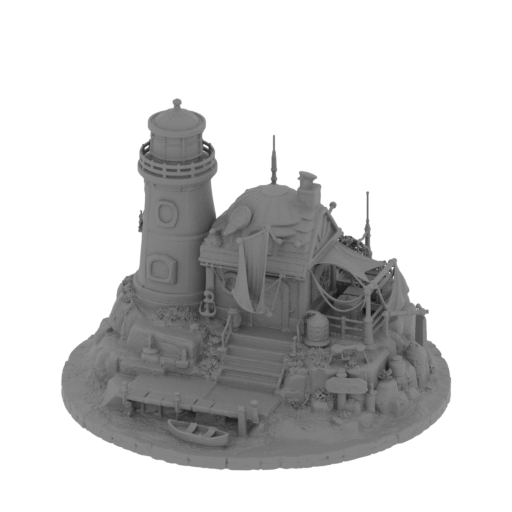 | Lighthouse Harbour House.stl 132.82 x 133.31 x 100 mm | 5.23 x 5.25 x 3.94 in | Size: 132.82 x 133.31 x 100 mm | 5.23 x 5.25 x 3.94 in | File size: 91.72 mb | Printing Time / Filament: 34 h 55 min / 17 m | ||
3D model description
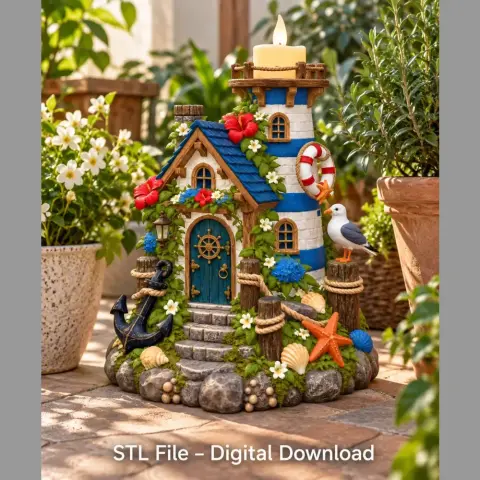
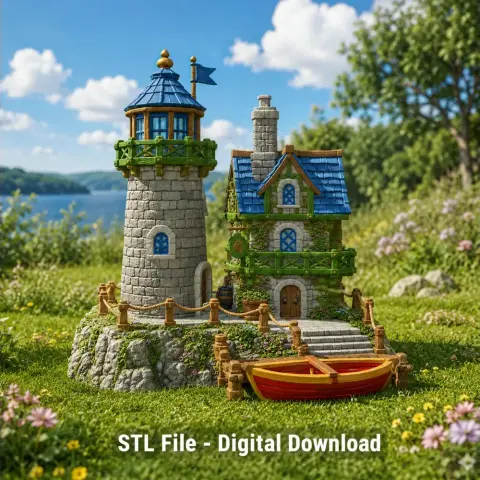
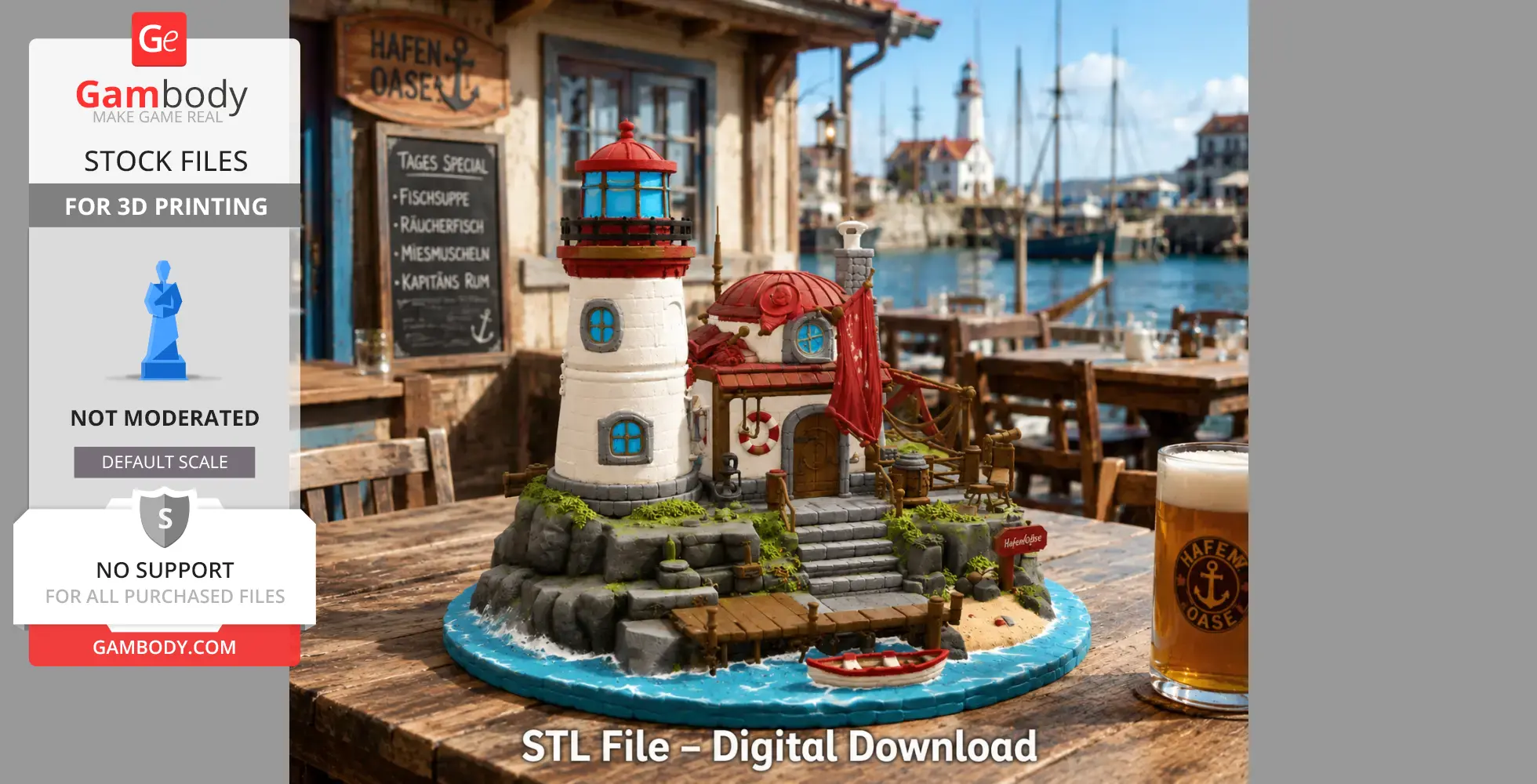
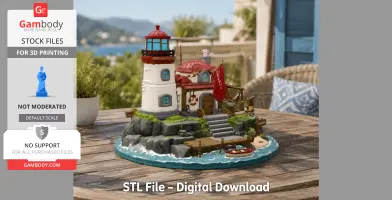
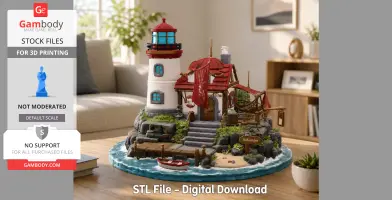
Bring the charm of the seaside to your 3D printer with the Lighthouse Harbor House, a beautifully detailed 3D printable STL model that combines a classic coastal lighthouse with a cozy harbor cottage in one stunning display piece.
This highly detailed model features a towering lighthouse with a vibrant red lantern room, a welcoming harbor house, wooden dock, small fishing boat, rocky shoreline, sandy beach, nautical accessories, lanterns, ropes, anchors, and countless handcrafted details that capture the peaceful atmosphere of a charming coastal village.
From the textured stone foundation and weathered wooden pier to the detailed roof, windows, and ocean waves, every angle reveals exceptional craftsmanship that makes this model a perfect centerpiece for collectors, miniature painters, and makers.
Whether imagined as a peaceful fishing harbor, a lighthouse keeper's home, a fantasy coastal village, or a scenic tabletop display, the Lighthouse Harbor House adds warmth, adventure, and maritime charm to any collection.
Carefully optimized for both FDM and resin 3D printing, this STL model delivers exceptional detail while remaining enjoyable to print, paint, and proudly display.
✨ Features
Detailed lighthouse and harbor house
Coastal village-inspired architecture
Wooden dock and small fishing boat
Rocky shoreline and sandy beach
Nautical accessories and lanterns
Highly detailed textures throughout
Beautiful display piece from every angle
Perfect for painting and custom color schemes
Optimized for both FDM and resin printing
Ideal for collectors, tabletop scenery, and dioramas
Great centerpiece for coastal-themed displays
High-detail STL digital download
🎨 Important Note
This STL model is designed for single-color 3D printing.
After printing, customize your Lighthouse Harbor House with classic white walls, vibrant red roofs, weathered wood textures, ocean blues, natural stone colors, and your own creative paint scheme to create a truly unique coastal masterpiece.
🎁 Perfect For
Lighthouse collectors
Coastal décor enthusiasts
Miniature painters
Fantasy collectors
Tabletop RPG scenery
Diorama builders
Maritime décor
Resin and FDM printing
Nautical gifts
3D printing enthusiasts
📸 Share Your Creations
We love seeing your finished prints!
Share your painted Lighthouse Harbor House with the community and inspire fellow makers with your unique color schemes and creative display ideas.
3D printing settings
🖨️ 3D Printing Settings
FDM Print Recommendations
Layer Height: 0.12–0.20 mm
Nozzle: 0.4 mm recommended
Infill: 10–15%
Supports: Recommended for the dock, roof overhangs, lanterns, ropes, lighthouse balcony, and decorative details
Material: PLA recommended
Orientation: Print upright for optimal architectural detail
Tips: Print at slower speeds to preserve the intricate textures of the lighthouse, dock, rocks, and building.
🧪 Resin Print Recommendations
Layer Height: 0.03–0.05 mm
Supports: Light supports recommended for the dock, balcony, lanterns, roof edges, and decorative elements
Orientation: Tilt the model 30–45° for optimal surface quality
Resin Type: Standard or ABS-like resin
Post-Processing: Wash and cure thoroughly after printing
Tips: Hollow larger sections when appropriate to reduce resin consumption while maintaining excellent detail.